GrocerIQ
UX Research & Design
Survey Research
Wireframing
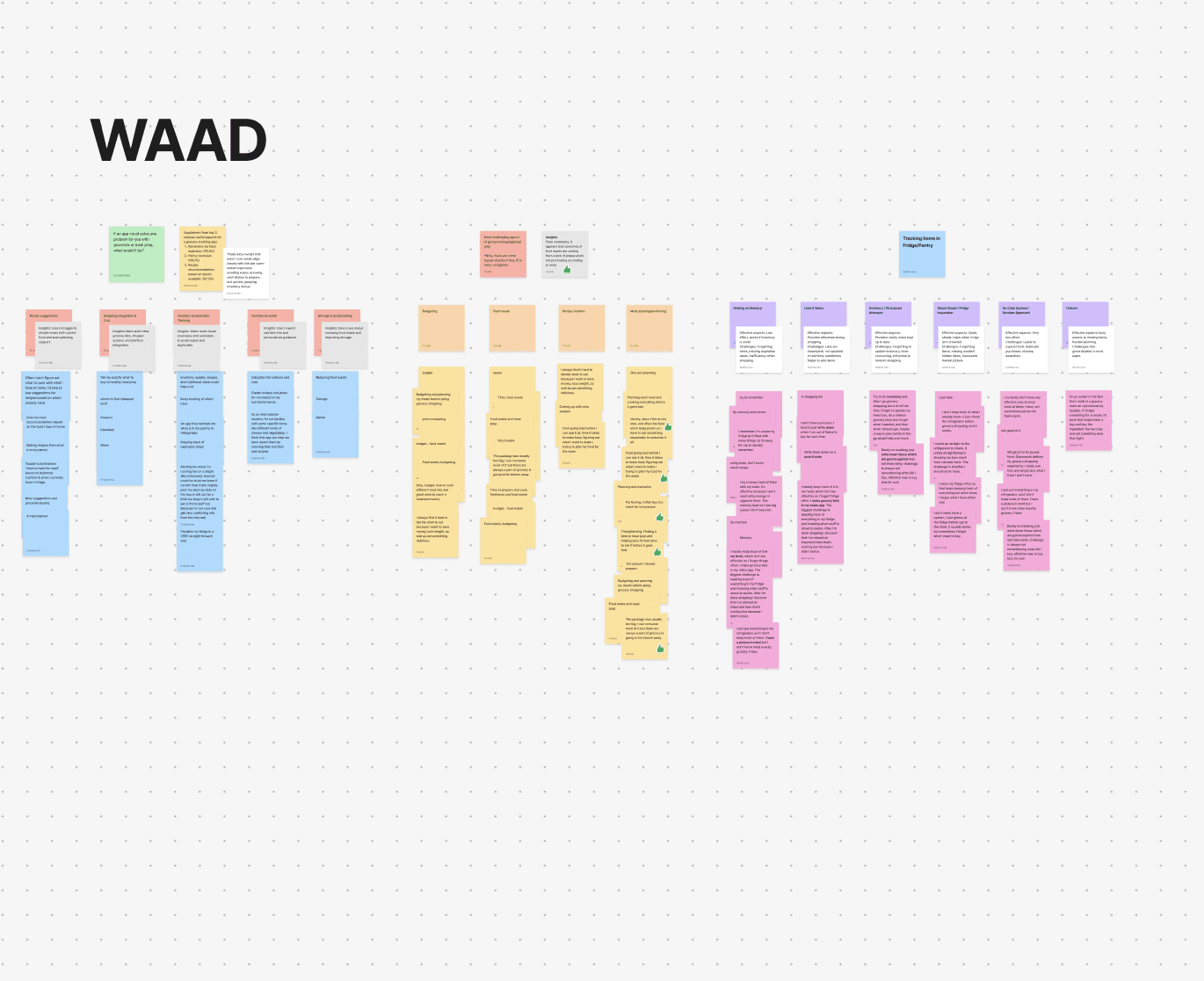
Affinity Diagraming
Designing a Smarter Kitchen — From Survey Data to Prototype
My Role: Team Lead, UX Researcher & Designer — survey design, WAAD synthesis, wireframing, usability evaluation, iteration
Team: Group project with Yucong Ma & Sabrina Cao Context: Graduate coursework, University of Texas at Austin
The Problem
University students and young professionals are caught in a frustrating cycle: they buy groceries with good intentions, forget what they have, and watch food go bad while trying to figure out what to cook after a long day. The result is food waste, decision fatigue, and money down the drain.
Our team set out to design GrocerIQ — an intelligent kitchen assistant that makes grocery management effortless and helps users build healthier, more sustainable habits.
Research
We targeted users ages 18–24 with busy schedules who handle their own grocery shopping. To gather data quickly and accessibly, we designed an online survey, co-authoring questions as a team to minimize bias, then distributed it through personal networks.
We collected 24 responses, predominantly from college peers who regularly grocery shop for themselves.
My contributions:
Questionnaire design, qualitative analysis
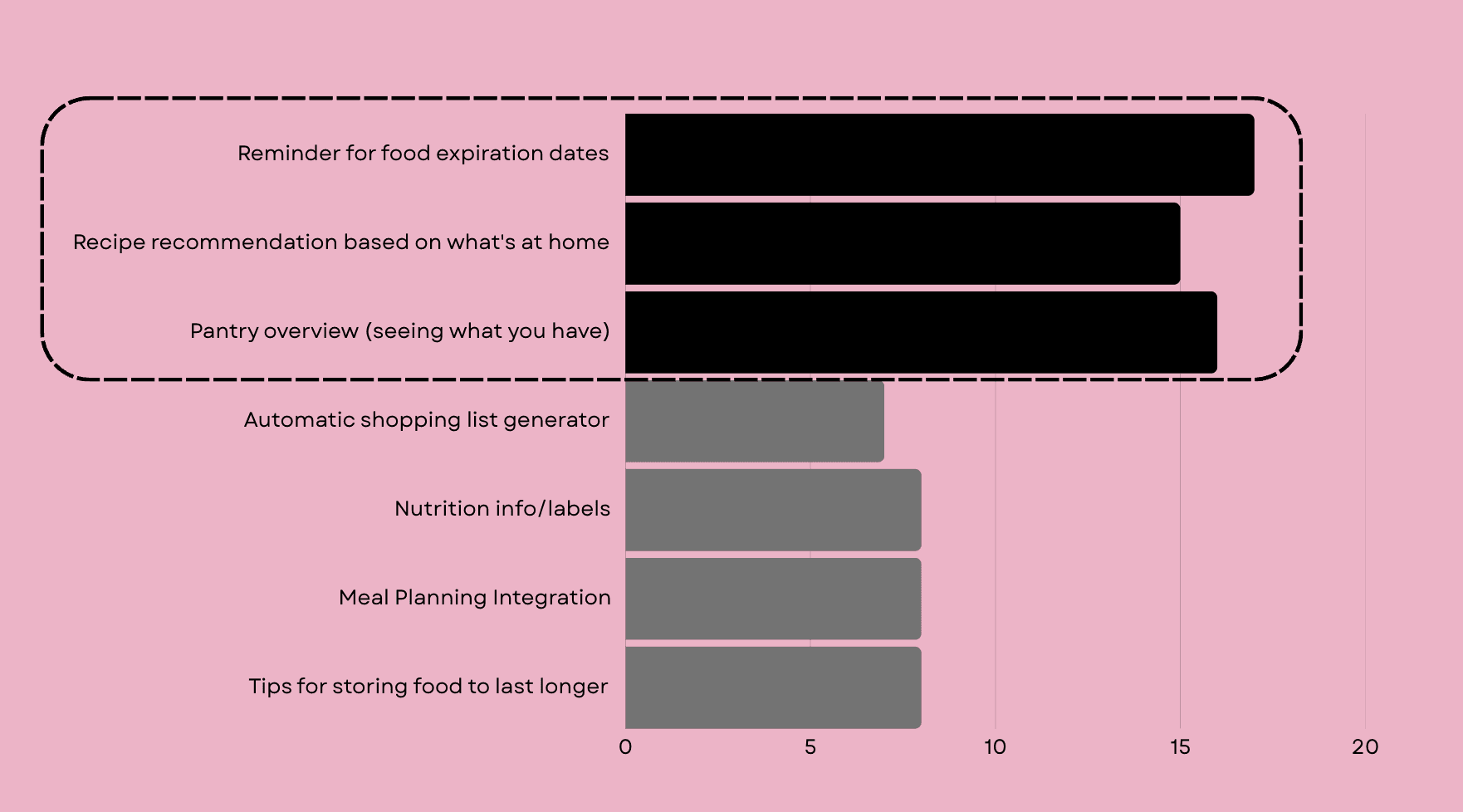
What we asked: Which features would be most useful? What's the one grocery or meal-prep problem you'd most want solved?
What we heard:
The data pointed clearly to three feature priorities: food expiration reminders, recipe recommendations, and pantry overview. Open-ended responses gave us the why behind the numbers — users weren't just forgetting food existed, they were anxious about food safety, paralyzed by meal decisions, and frustrated that recipes never matched what they actually had at home.
Models and Design Vision
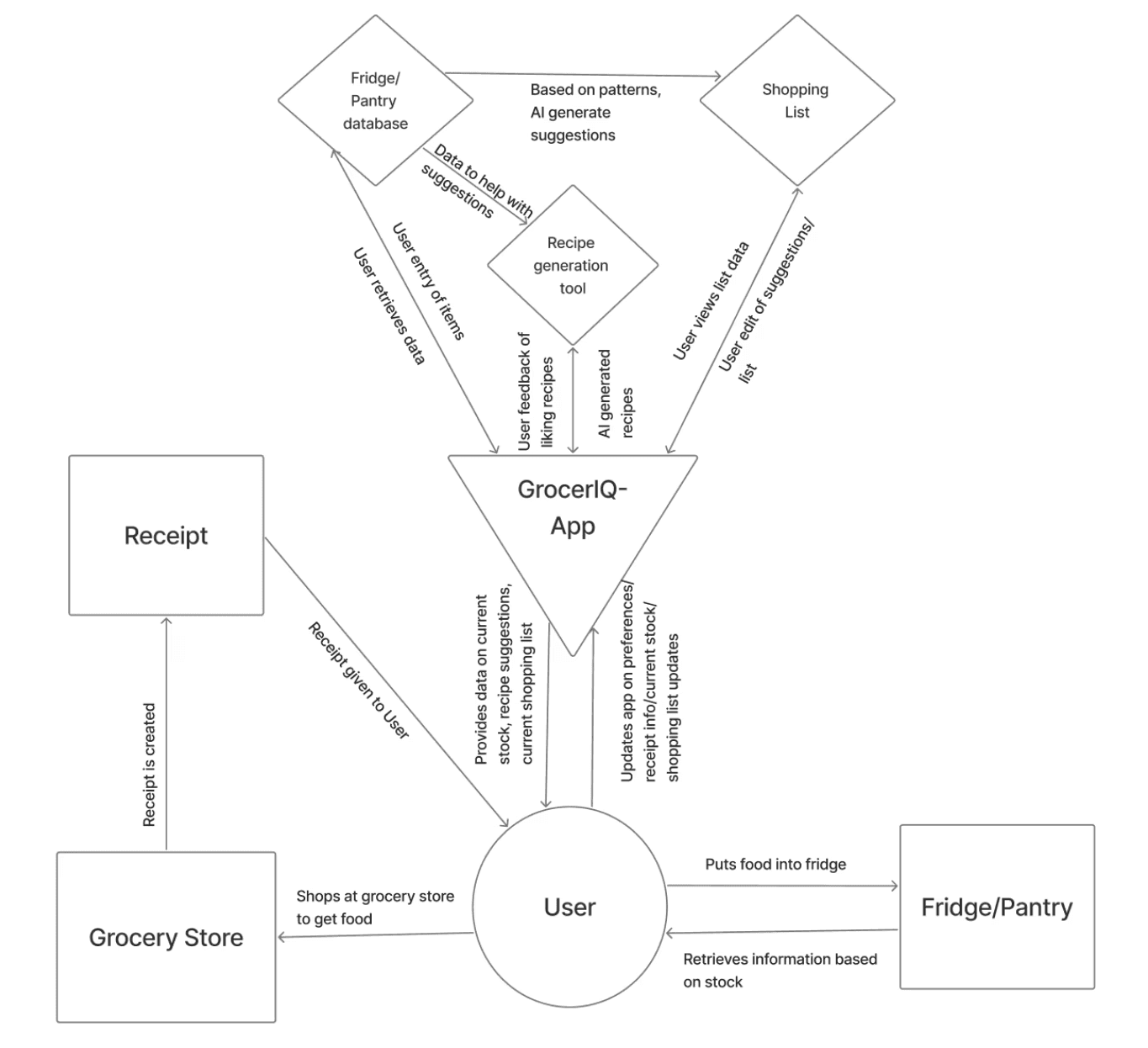
Before touching the interface, we built several models to align the team around a shared understanding of user behavior and system logic.
My Contributions: The Flow and Sequence Models mapped how users currently navigate grocery shopping and meal prep — revealing where breakdowns happened and where the system could intervene.
The Hierarchical Task Inventory (HTI) helped us scope the core workflows without overbuilding.
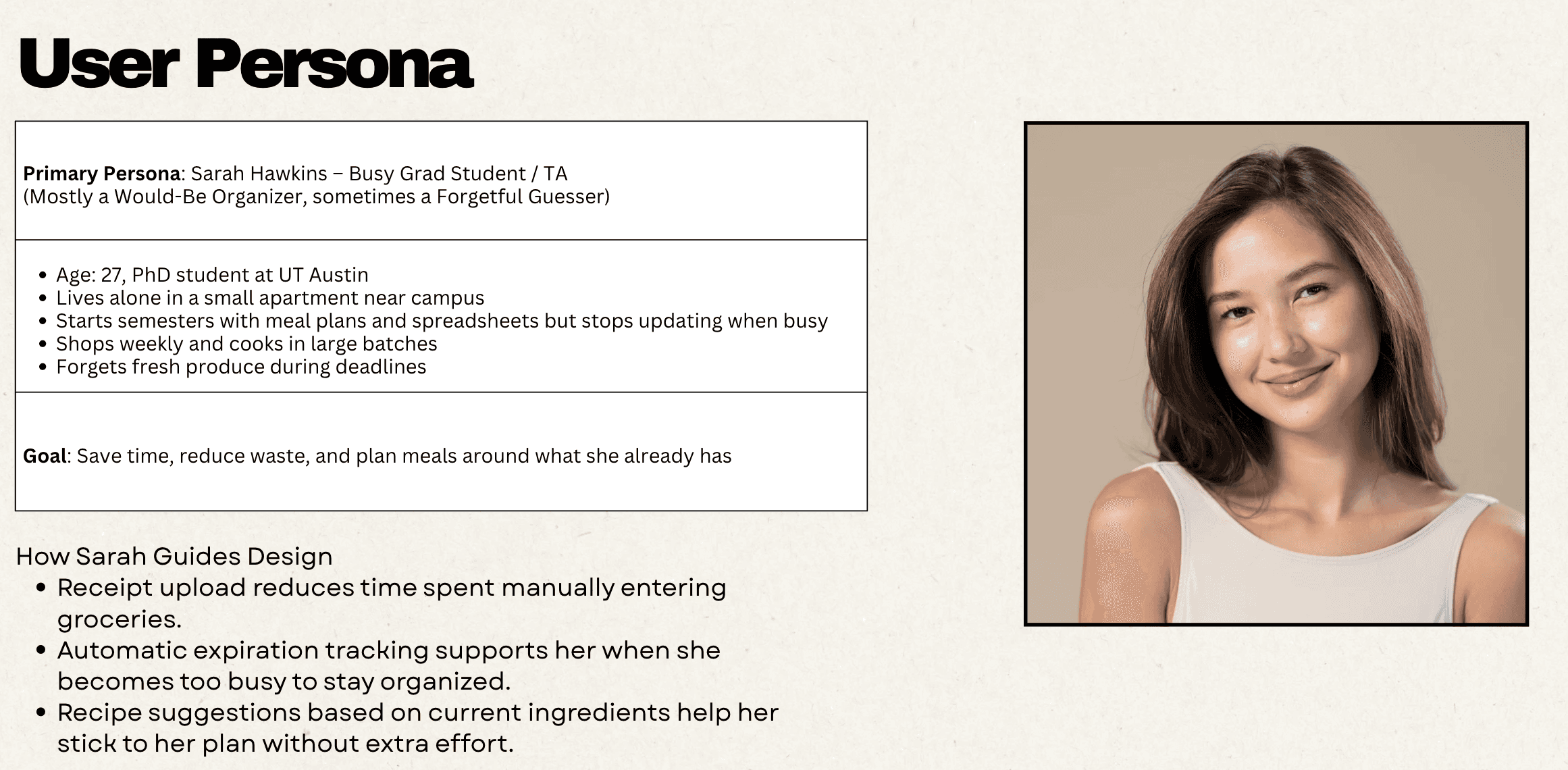
Our User Persona — "Sarah" — was a busy student who needed low-effort capture, expiration visibility, and recipe suggestions without extra steps.
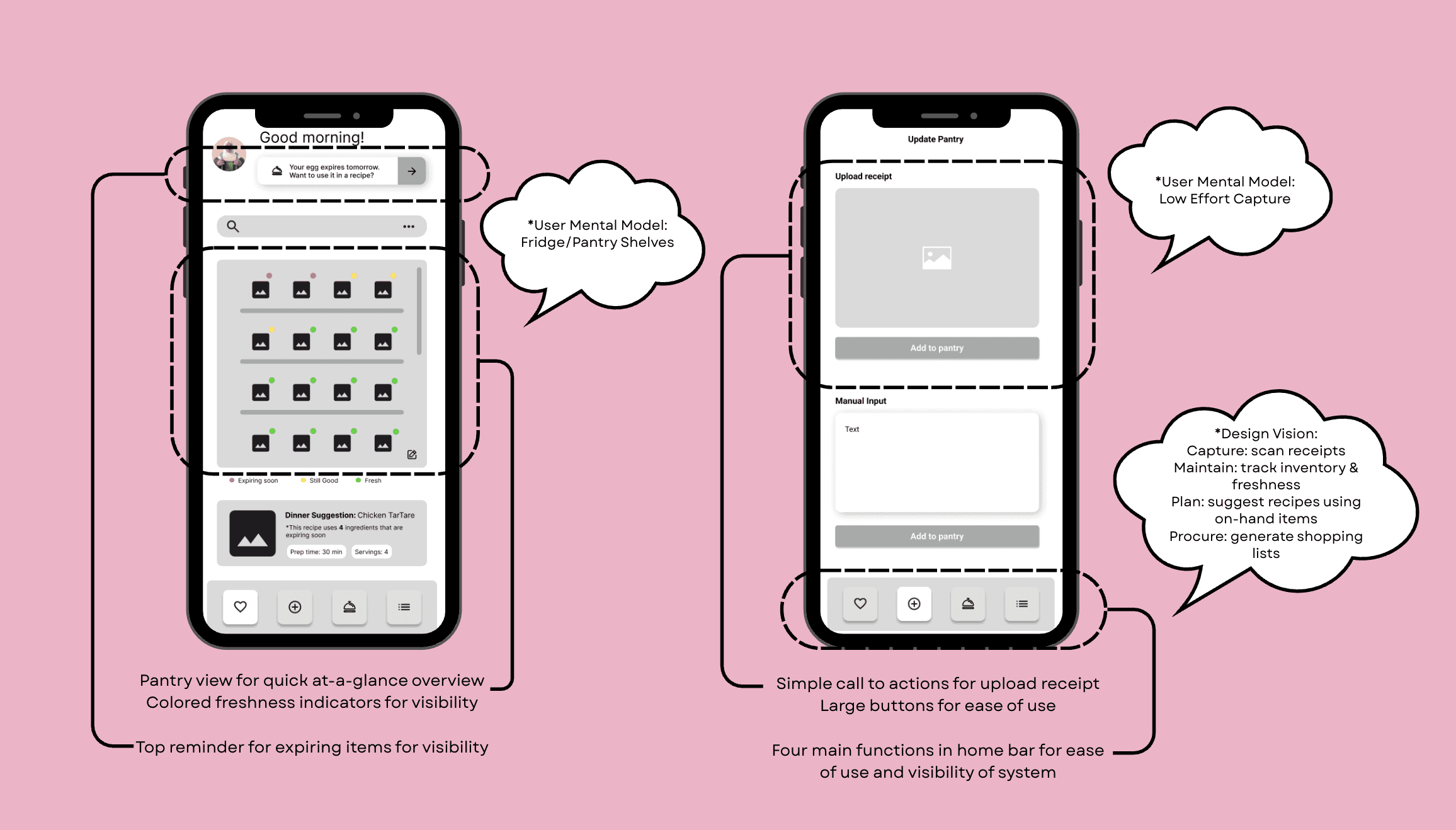
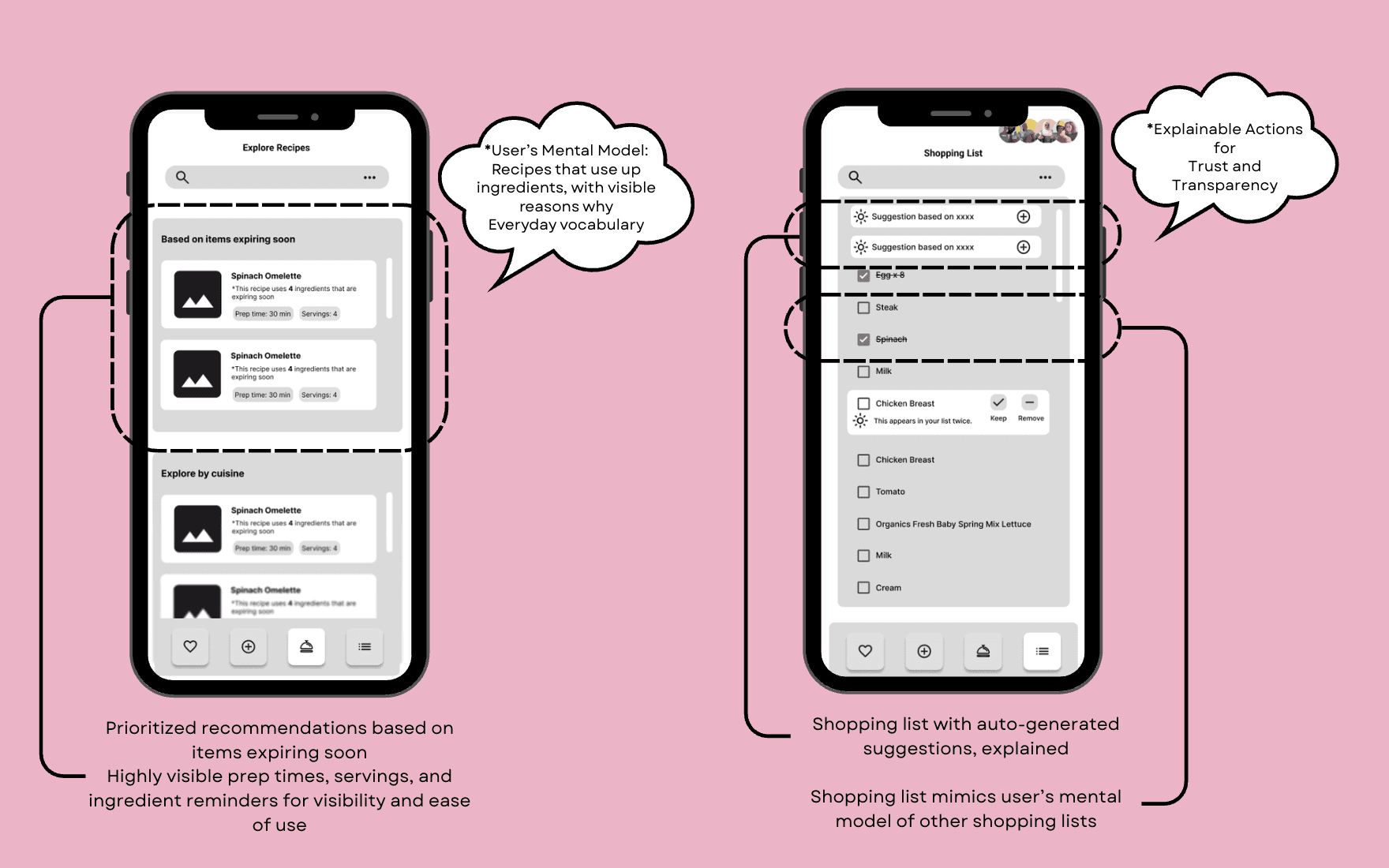
The Design Vision crystallized into a four-step core loop: Capture → Maintain → Plan → Procure
Capture: Scan receipts to auto-populate the pantry
Maintain: Track inventory and freshness over time
Plan: Suggest recipes using what's on hand, prioritizing items expiring soon
Procure: Generate shopping lists based on habits and recipe needs
The user's mental model shaped every design decision: they expected low-effort capture, fridge/pantry shelf metaphors, recipes with visible reasoning ("using these 3 items you already have"), everyday language, and reversible actions with clear feedback.
Evaluation & Iteration
My contributions: Conducted usability evaluations with potential users and incorporated their feedback in app design across two rounds of iteration.
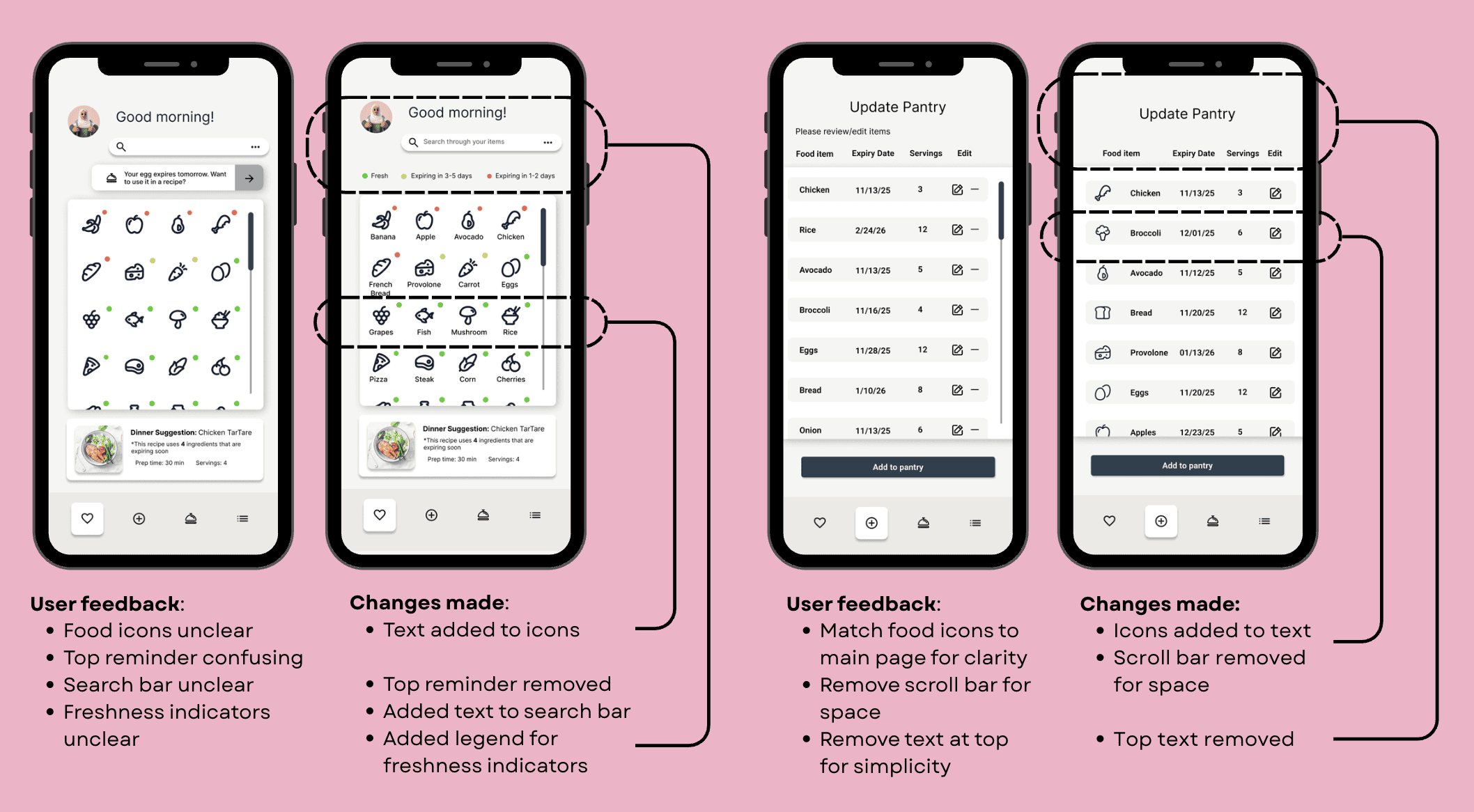
Round 1 feedback & changes:
Icons without labels were unclear → added text labels to all icons
Expiration reminder banner was confusing → removed
Search bar purpose was ambiguous → added placeholder text
Freshness color indicators had no explanation → added a legend
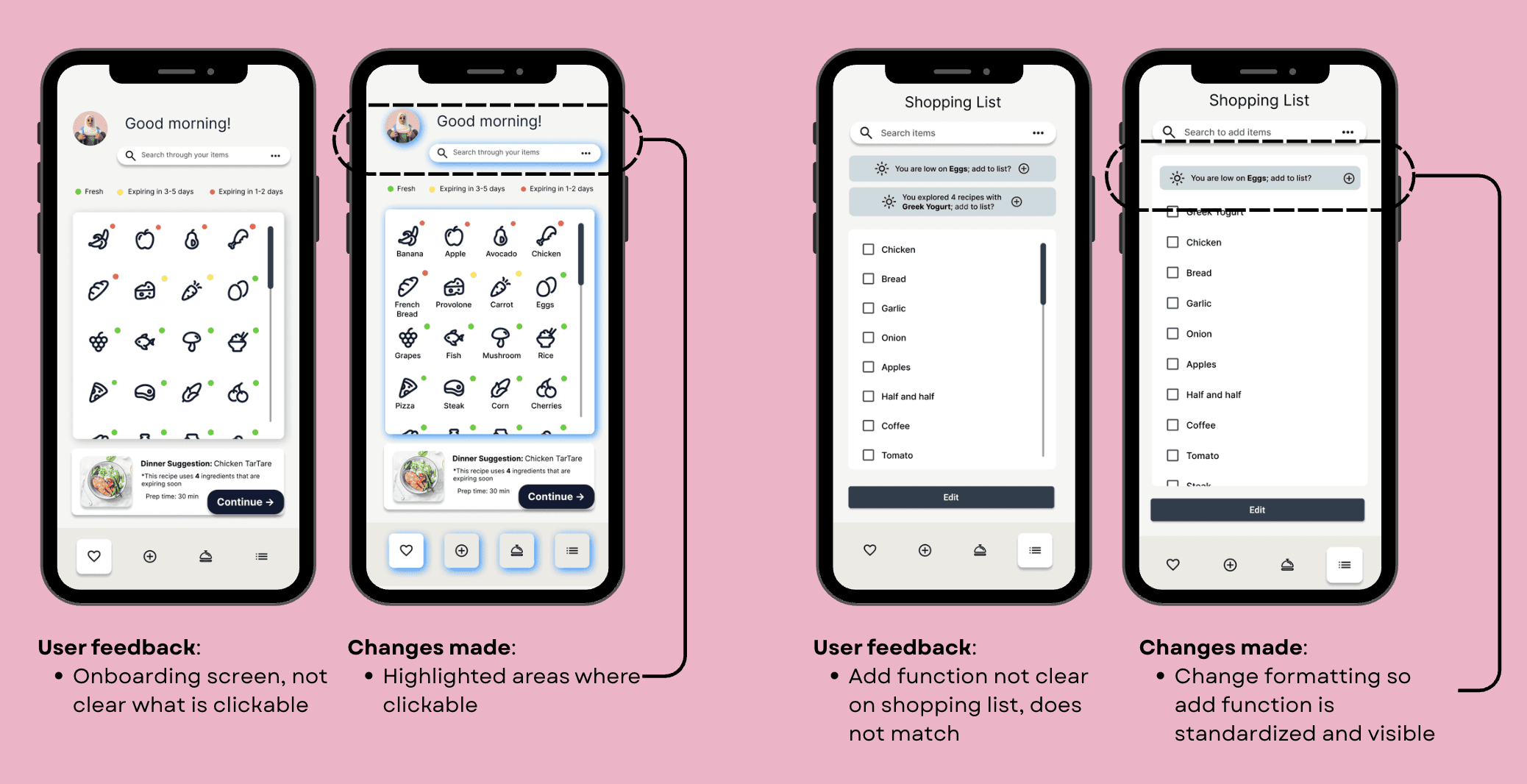
Round 2 feedback & changes:
Onboarding didn't make clickable areas obvious → highlighted interactive zones
"Add" function on the shopping list didn't match the pattern of the rest of the app → standardized the format for consistency
Each round tightened the interface and increased clarity — the design improved measurably with every evaluation cycle.
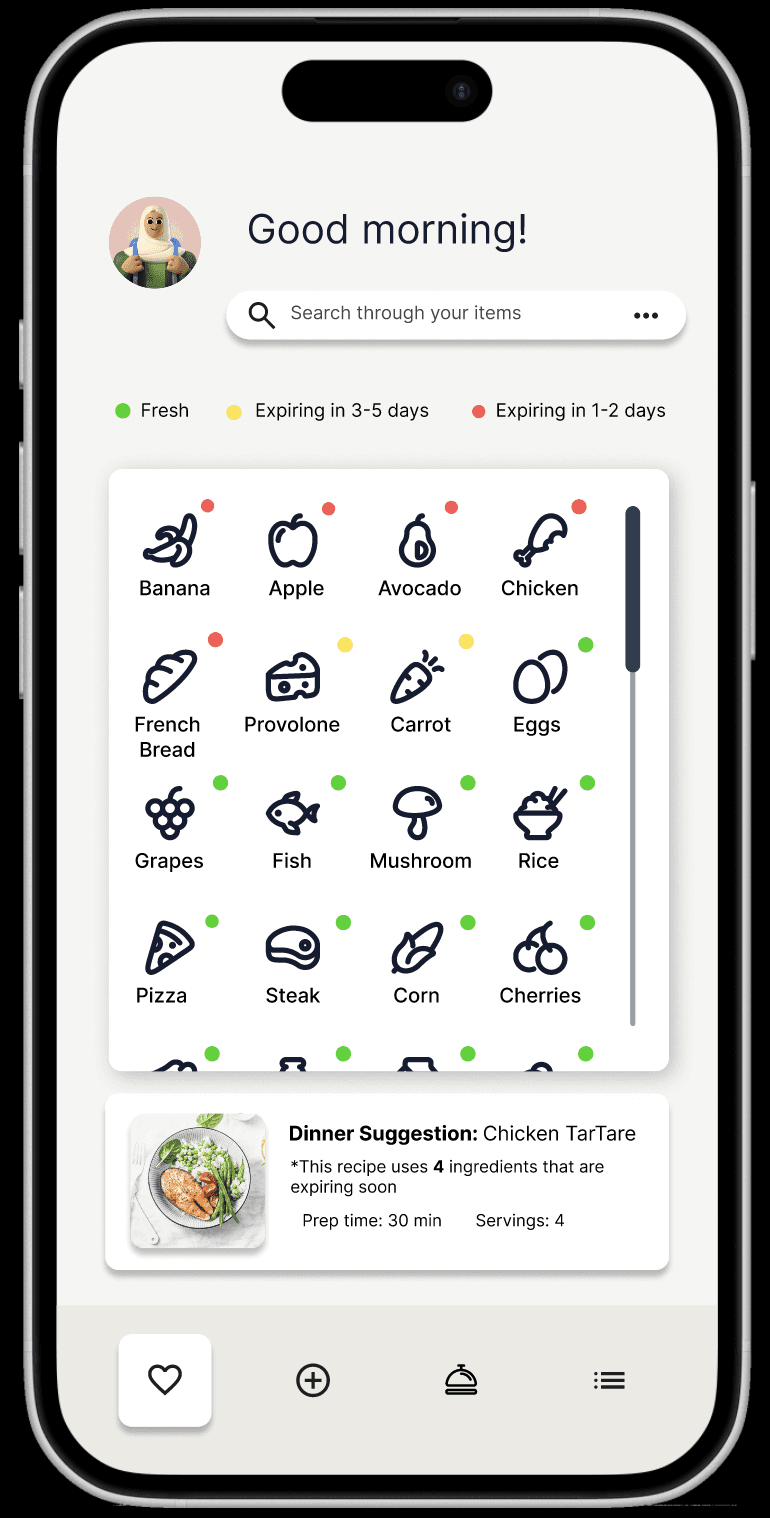
Prototype- Click to see Figma File
Reflection
A few things I'd carry into every future project from this one:
Starting from models, not screens made the design more coherent. When decisions got hard, we could return to the core loop and user mental model as a source of truth rather than debating opinions.
Scope discipline is a design skill. Many features we initially ideated got cut — and the product was better for it. Knowing when to say no is as important as knowing what to build.
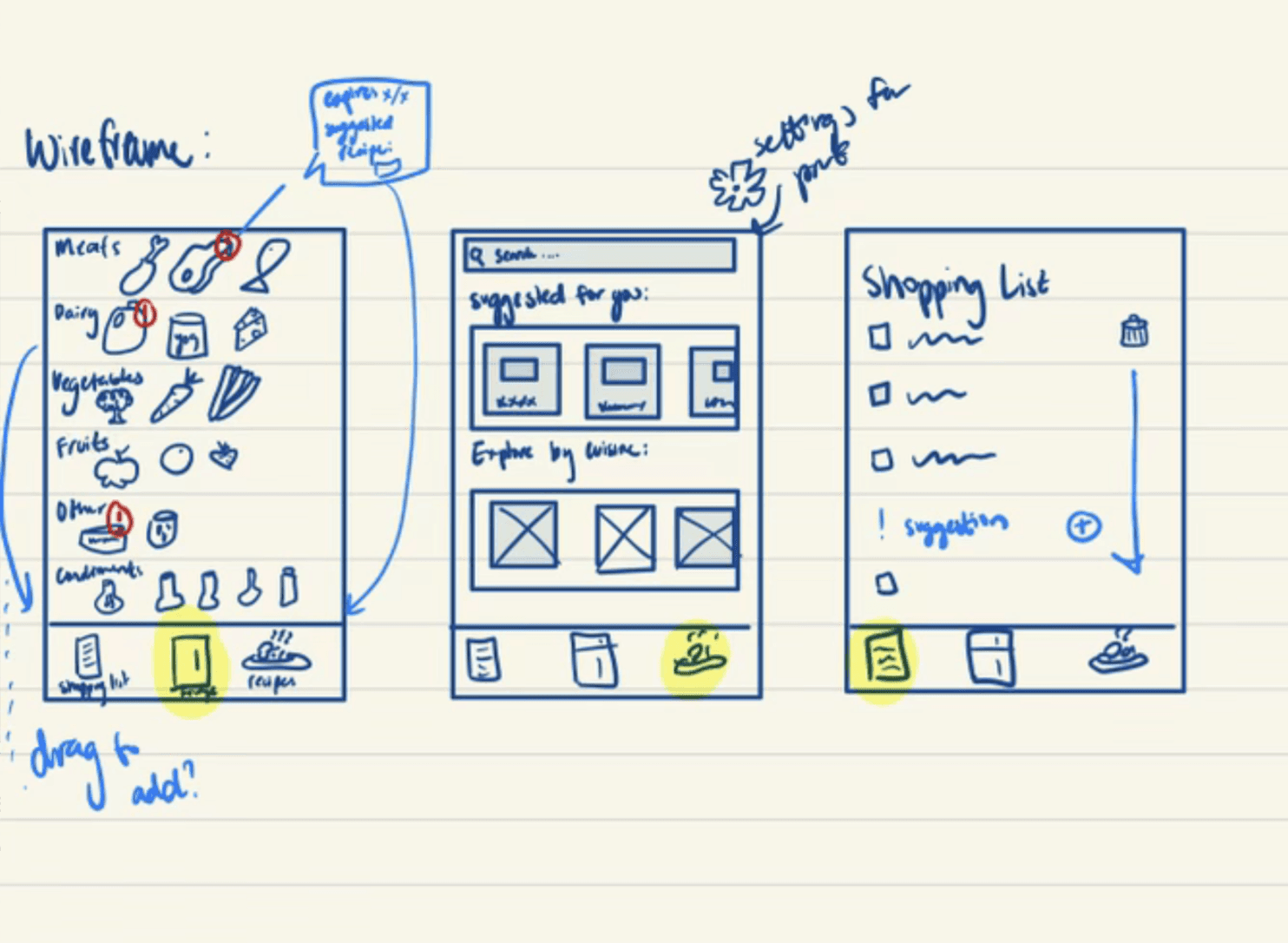
Early sketching is underrated. Paper sketching before wireframing helped the team align visually before committing to any tool or fidelity level.